AI voice agents that keep every conversation connected.
AI voice agents answer incoming calls and call customers back, in their language, in a workspace that already knows the customer. Every call leaves a transcript, an English translation, a summary and a next step on the customer record.
Any supported call language. Clear English translations.
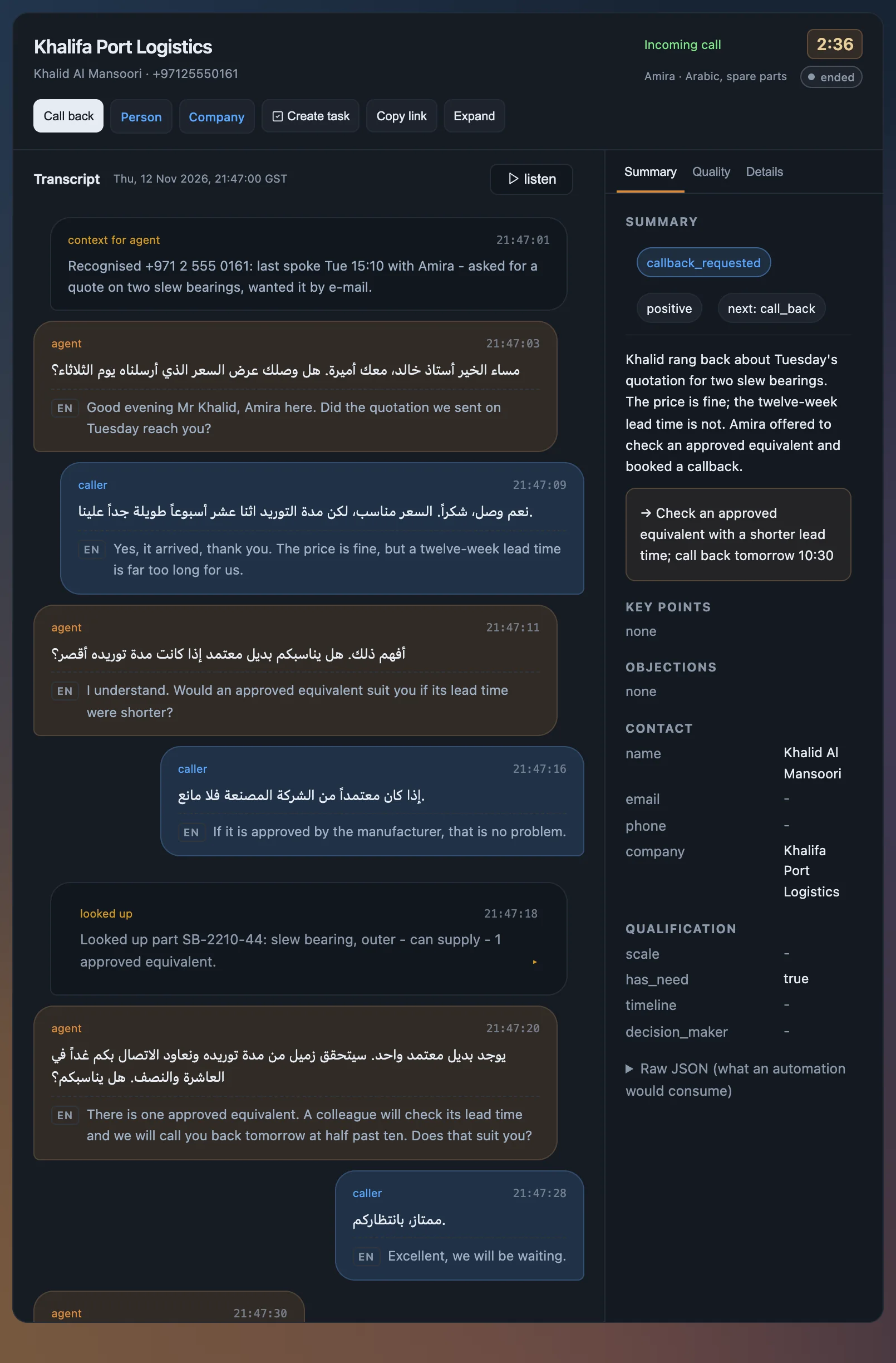
Terramine Desk translates call transcripts from any supported language into English, alongside the original. This example shows an Arabic call with customer context and a clear next action.
Screenshots from the product, at the version captured at the time. The interactive demo is a simplified guided example, not a copy of every screen.
Inside the product
Every call answered, written down and followed up.
See what the AI phone agent leaves behind after a call. Every picture is cut from the actual product, with fictional demo data.
01 · Transcript
A multilingual call, with English under every line.
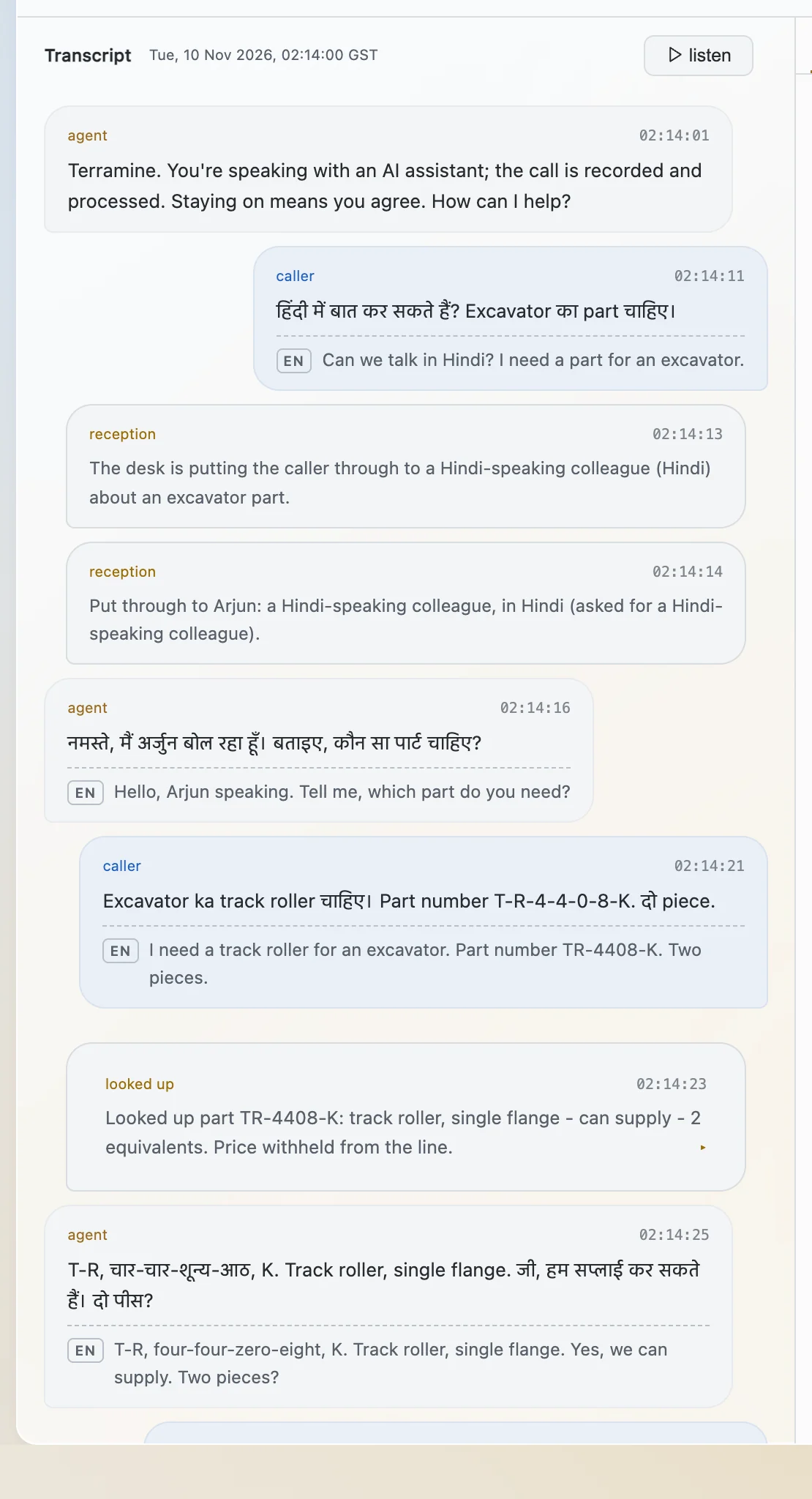
The AI voice agent speaks the caller's language and can switch language during the call. The call transcript keeps the original words and adds an English translation under each line, so the whole team can read a Hindi or Arabic call.
Call transcription with speaker, time and translation
The agent introduces itself as an AI and gives the recording notice
Part numbers read back and confirmed during the call
Catalogue look-ups shown where they happened in the conversation
A Hindi call with English under every line
02 · AI call summary
A summary, an outcome and the next action.
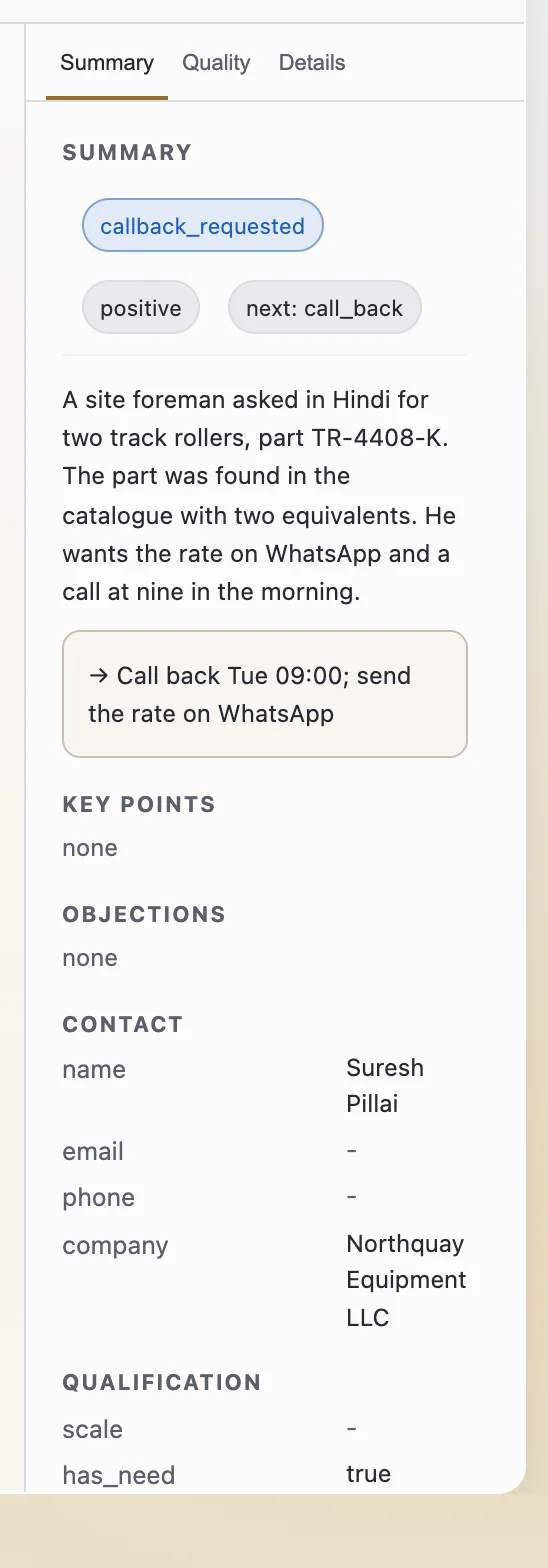
After the call, the AI call summary says what the customer asked for, how the call ended and what happens next: a callback at the hour they named, a quotation to send, a task for the owner.
Contact and company captured from the conversation
Call back, Create task and the customer card one click away
A quality review of each conversation
Summary, outcome and next action after a call
03 · Call history
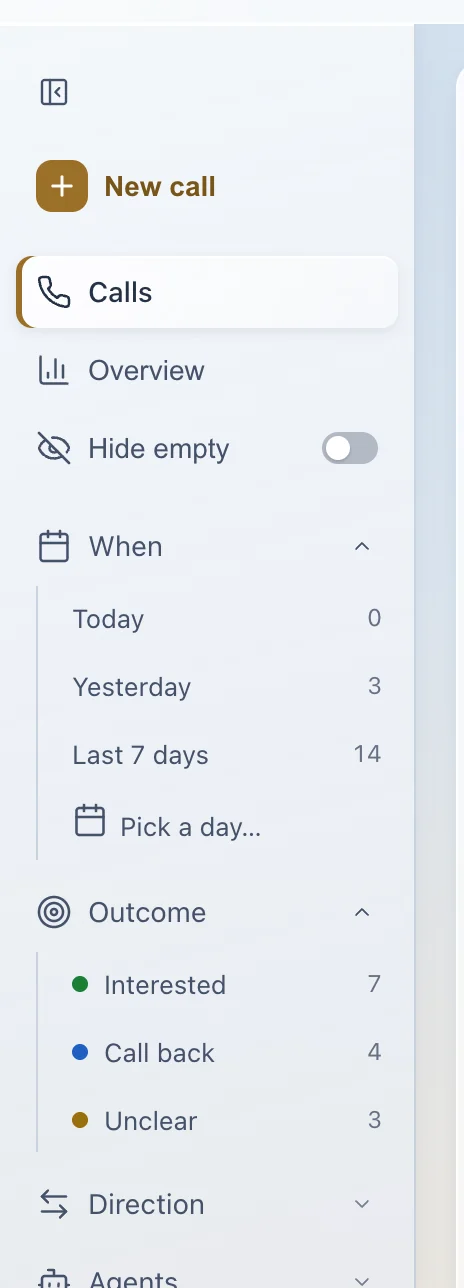
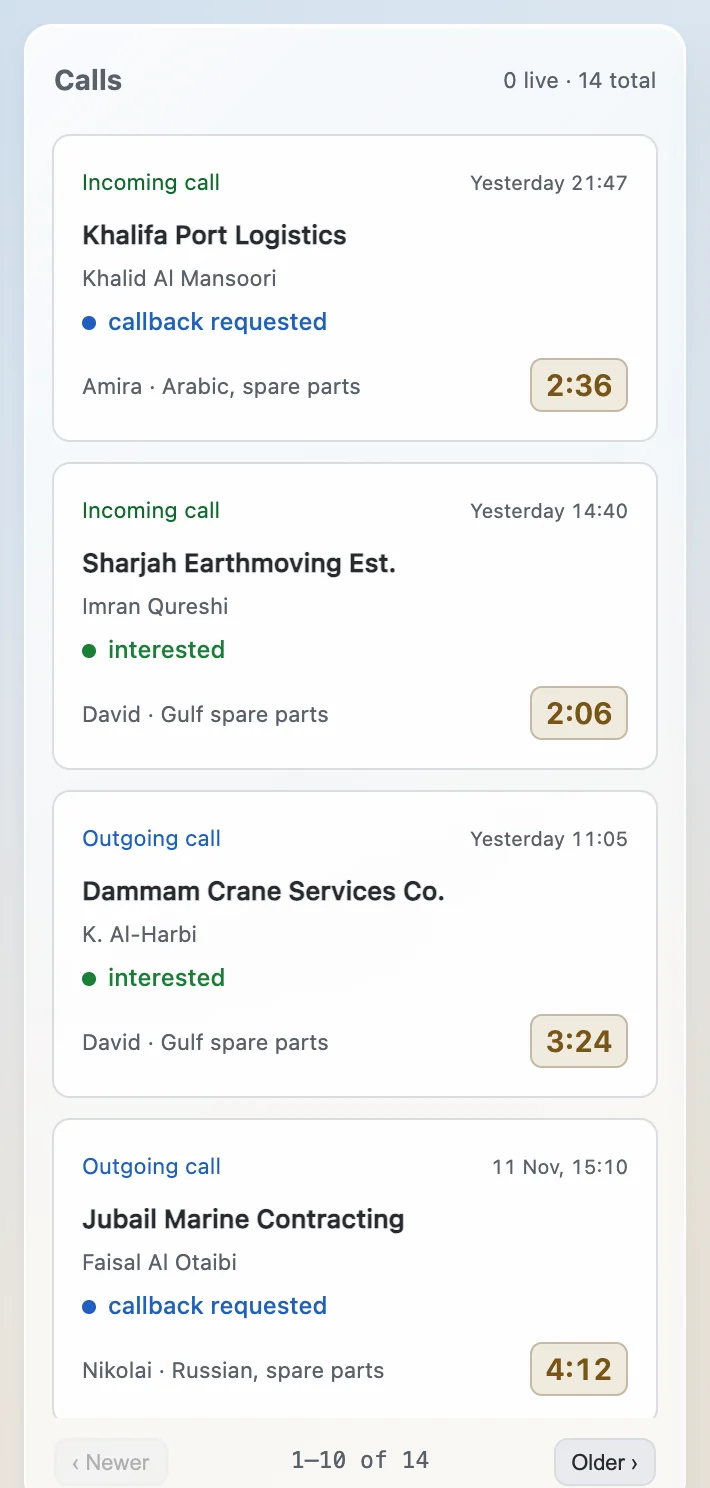
Every call in one list, filtered in a click.
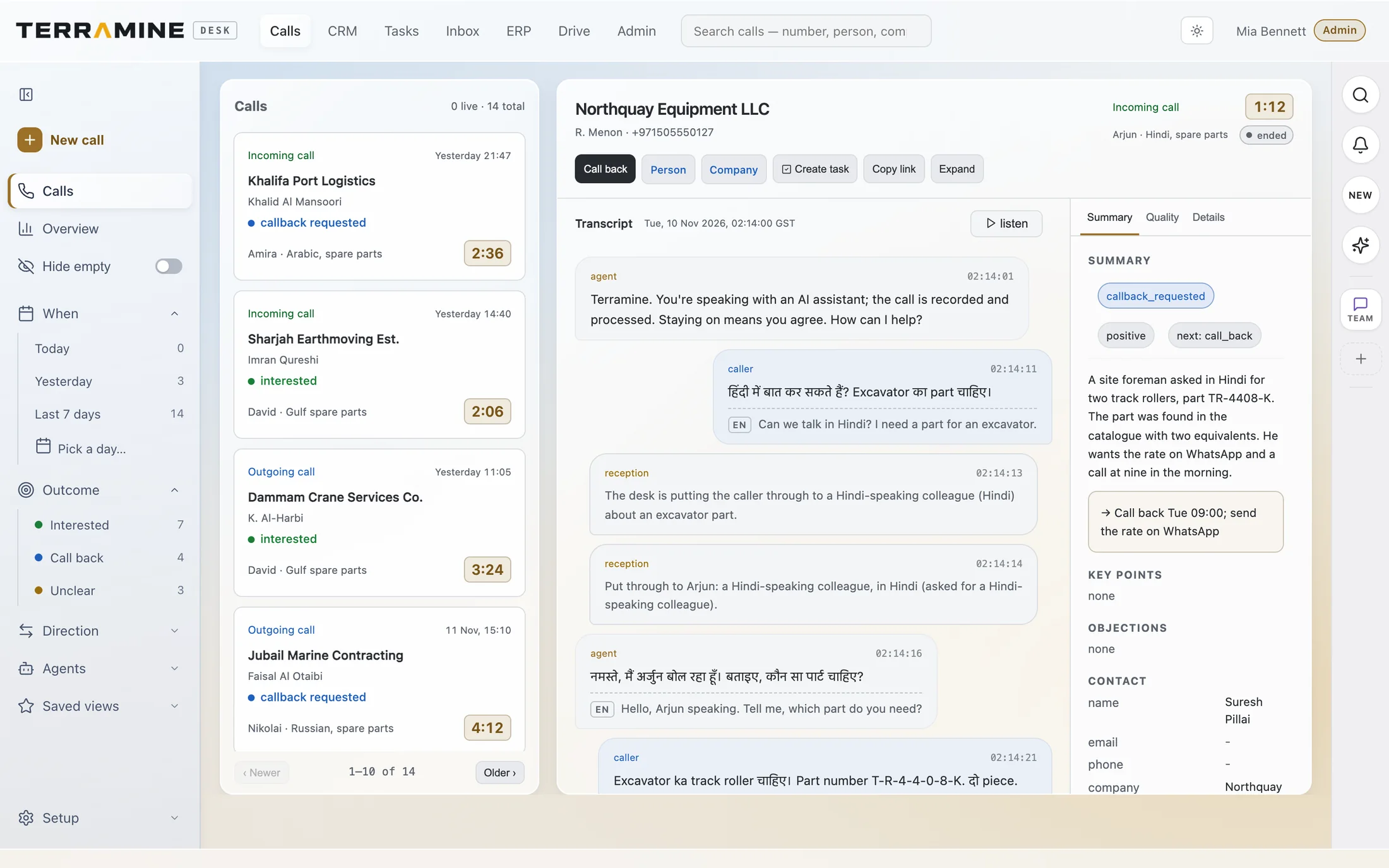
Incoming and outgoing calls sit in one call history with the customer, the agent persona, the outcome and the duration. Filter by day, outcome, direction or agent, and save the views you use.
Inbound and outbound calls together
Outcome colours on every call
Filters for date, outcome, direction and agent
Recordings to listen to beside the transcript
Filters by day, outcome, direction and agentCall history with outcomes and durations
04 · Call analytics
See how the calls are going.
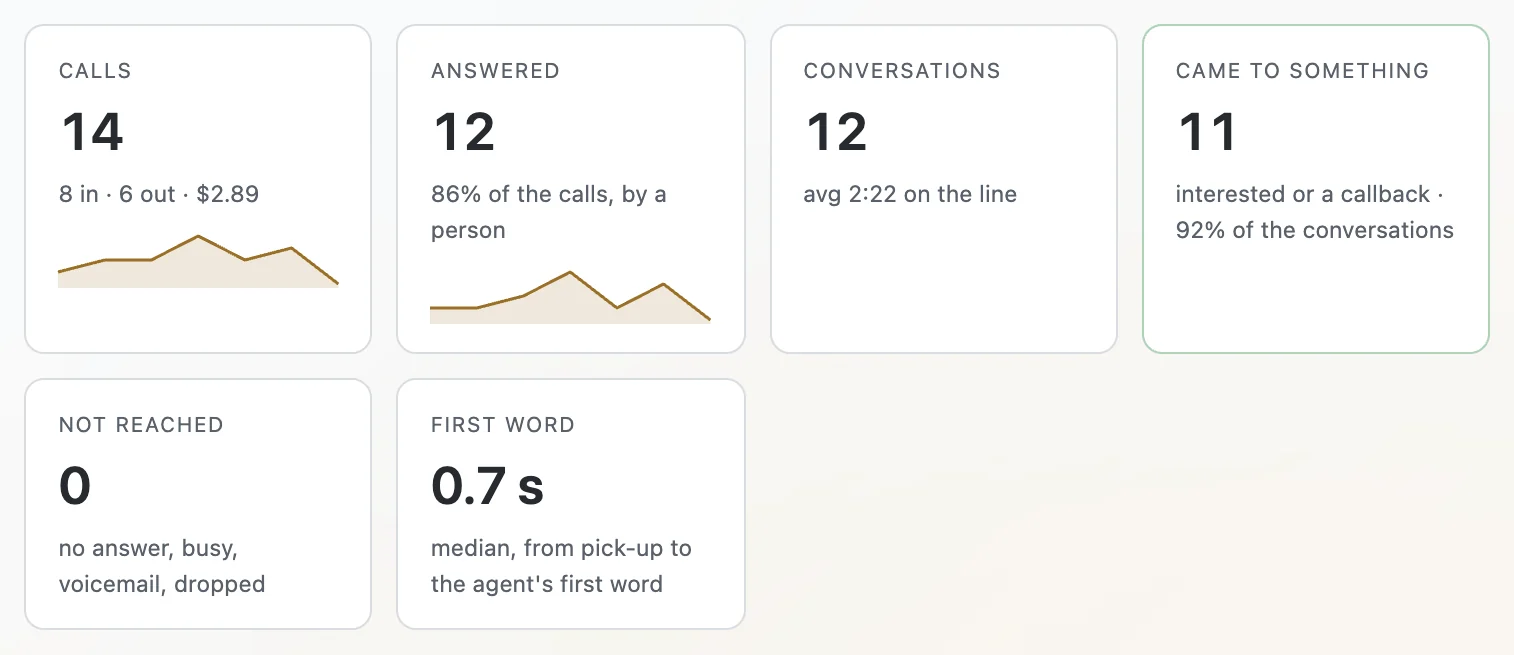
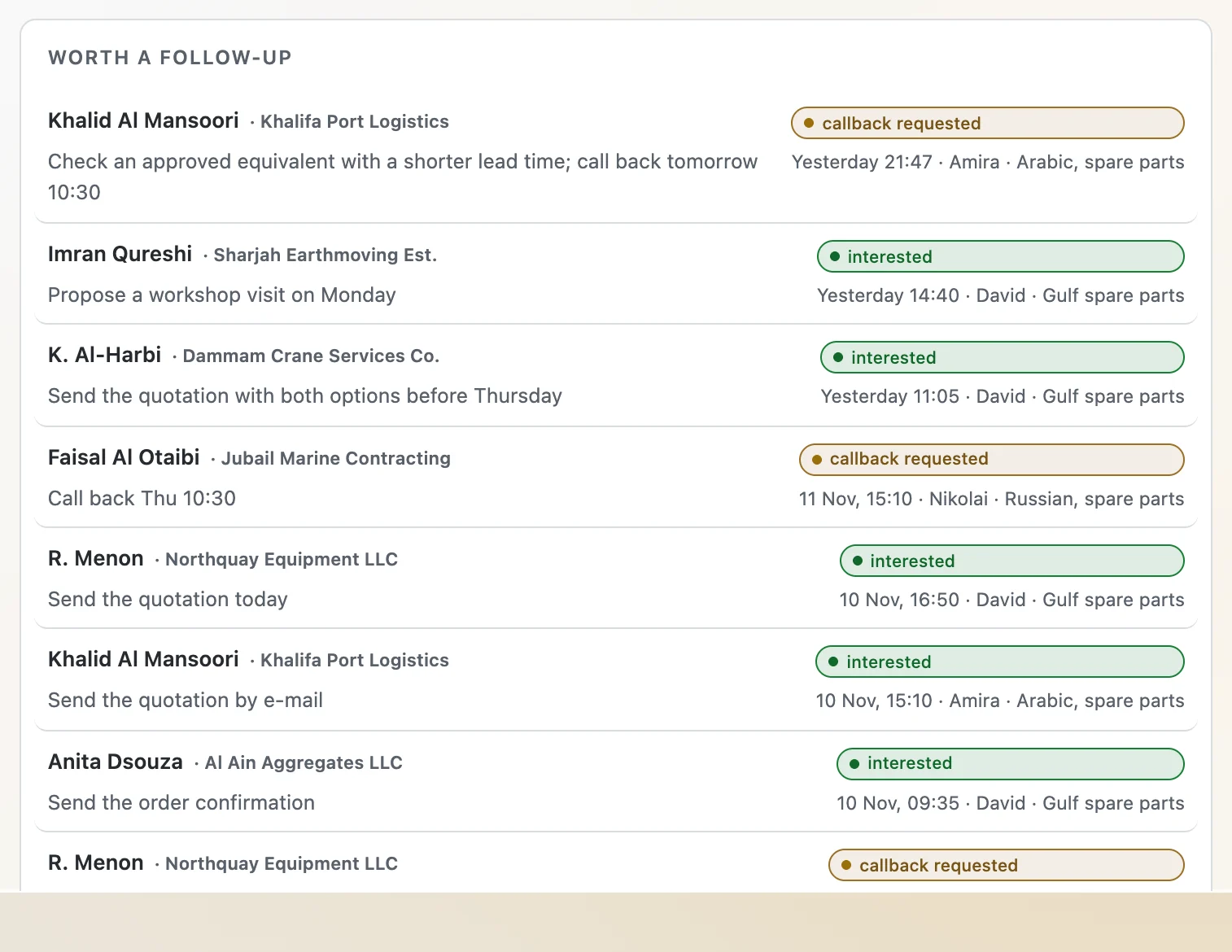
A call analytics overview counts calls, answer rate, conversations and how many came to something. It shows the time to the agent's first word and lists the calls worth a follow-up, with the step each one agreed.
Answer rate and conversations per period
Results by AI persona and by outcome
A follow-up list with the agreed next step
Today, 7 days, 30 days or any range
Calls, answer rate and results for the periodCalls worth a follow-up, with the agreed step
05 · Office hours
After-hours calls answered your way.
Set office hours, time zone and holidays. Outside them the agent keeps answering, or callers hear your answering message and leave an enquiry for the morning.
Follow the timetable, open now or closed now in one click
Holidays and time zone per deployment
Nothing is dialled out while the office is closed
Your team is told when the mode changes
Office hours: timetable, open now or closed now
Agents configured for your business
One versatile agent. Or a team of specialists.
Use one AI voice agent across several jobs, or create separate personas for reception, sales enquiries and follow-up calls. Give each persona its own role, instructions, supported languages and voices to suit your customers.
Shared instructions for incoming and outgoing calls keep business rules consistent. Each persona adds its own instructions, tone and approach, so you tailor the conversation to the job without rewriting what is common.
Our sales line runs on Terramine Desk. The agent captures enquiries and hands the caller to the right AI persona. Try switching languages or spelling out a part number. Prices and delivery are confirmed in writing, by a person.
“How can Terramine Desk help my business?”
“I need a track roller for a Liebherr R 9400, two pieces.”
“ممكن نكمل بالعربي؟” and carry on in Arabic.
“What will it cost?” It will tell you the quotation follows in writing.
Say that you are calling from the website, and Terramine Desk records your call as a website enquiry.
Or leave your number
Prefer a callback? Leave your number on the contact page and we will call you within one working day.
An AI phone agent can answer the first enquiry, ask for missing details and capture what the customer needs. In Terramine Desk, that conversation stays connected to the customer record, email and next task. Your team can review the transcript before making a commercial commitment.
Work through conversation
Your workspace, one conversation away.
Chat with Terramine Desk to find information, understand what's happening and get work done across CRM, calls, email, orders and tasks.
Built-in tools connect the AI to your workspace records and actions. Ask in your own words: the assistant can look up information, bring the context together and prepare changes for your approval.
Review proposed plans before confirming. Small edits to the open record can apply immediately; enabled automation follows its configured rules.
Hear how the Terramine Desk AI voice agent captures a spare-parts enquiry and confirms the requested items and delivery date. Then review the transcript, summary and linked follow-up task to see what your sales team receives.
Inbound calls, outbound follow-ups and call transcripts
01
Inbound and outbound
Capture new enquiries on your number and follow up on existing customer conversations.
02
Transcripts across languages
Translate call transcripts from any supported language into English. Read the translation alongside the original, with the summary and next action linked to the customer record.
03
Customer continuity
A returning caller can keep the same agent and the context of the previous conversation.
04
Multilingual calls
We configure inbound and outbound voice agents in your choice of supported languages. Languages and voices are chosen for your customers and markets during setup, and the agent can switch language during a call.
05
Human handover
Your team can review the call and handle decisions that require a person.
06
Care with part numbers
Read-back and confirmation help the team check part numbers before they become an order.
Before you try it
Questions about AI phone agents
Do you provide phone lines or numbers?
No. You rent your business number in your own account with the carrier we support, in the UAE, Saudi Arabia or Egypt, and we connect it to Terramine Desk during setup. Other carriers, Twilio included, are not offered yet.
How are AI agent personas configured?
Choose one versatile persona, or several, one per job. Each persona combines the shared instructions for incoming and outgoing calls with its own: its role, its languages and its voices. The shared instructions keep business rules consistent; each persona's own settings define its role, tone and approach.
How does an AI phone agent work with the CRM?
The call, transcript and captured enquiry are linked to the customer. Your team can move from the conversation to the CRM record and continue with an email, task or order.
Can I compare inbound and outbound calls?
Yes. Open Calls in the demo and choose Incoming example or Outgoing example. Each has its own English audio and transcript.
Can I hear a sample call?
Yes. The demo includes incoming and outgoing English examples, plus a call that switches from English to Spanish with the full original transcript and English translations visible alongside playback. All examples use synthetic voices. To hear Terramine Desk on our sales line, call +971 4 498 6443; the agent will identify itself as an AI and ask what you need.
Does the agent confirm commercial terms?
No. The agent in the demo collects the requirements and leaves price, availability and delivery to the team, to confirm in writing.
Can I try this without connecting a phone number?
Yes. The demo runs on fictional records and never places a real call.
Which languages does it speak?
We configure inbound and outbound voice agents in your choice of supported languages. Languages and voices are chosen for your customers and markets during setup, and the agent can switch language during a call.
Your process comes next
Start with one workflow. Connect the work from there.
We'd like to use Google Analytics cookies to count visits and see which pages are read. Nothing is set until you choose, and the site works the same either way. Privacy notice